Configure AI Capabilities
Enter your own keys for models, monitoring engines, and stock imagery — set up the AI foundation in one pass.
GeoAns runs on your own service keys for models, monitoring engines, and imagery: apply for each key at the provider, enter it on the platform, and the provider bills you directly — GeoAns adds no markup.
Both configuration pages live under "Settings" in the lower-left corner: AI Configuration and GEO Monitoring. A setup-progress card at the top of each page shows what is still missing, grouped into Required / Recommended / Optional.
AI Configuration
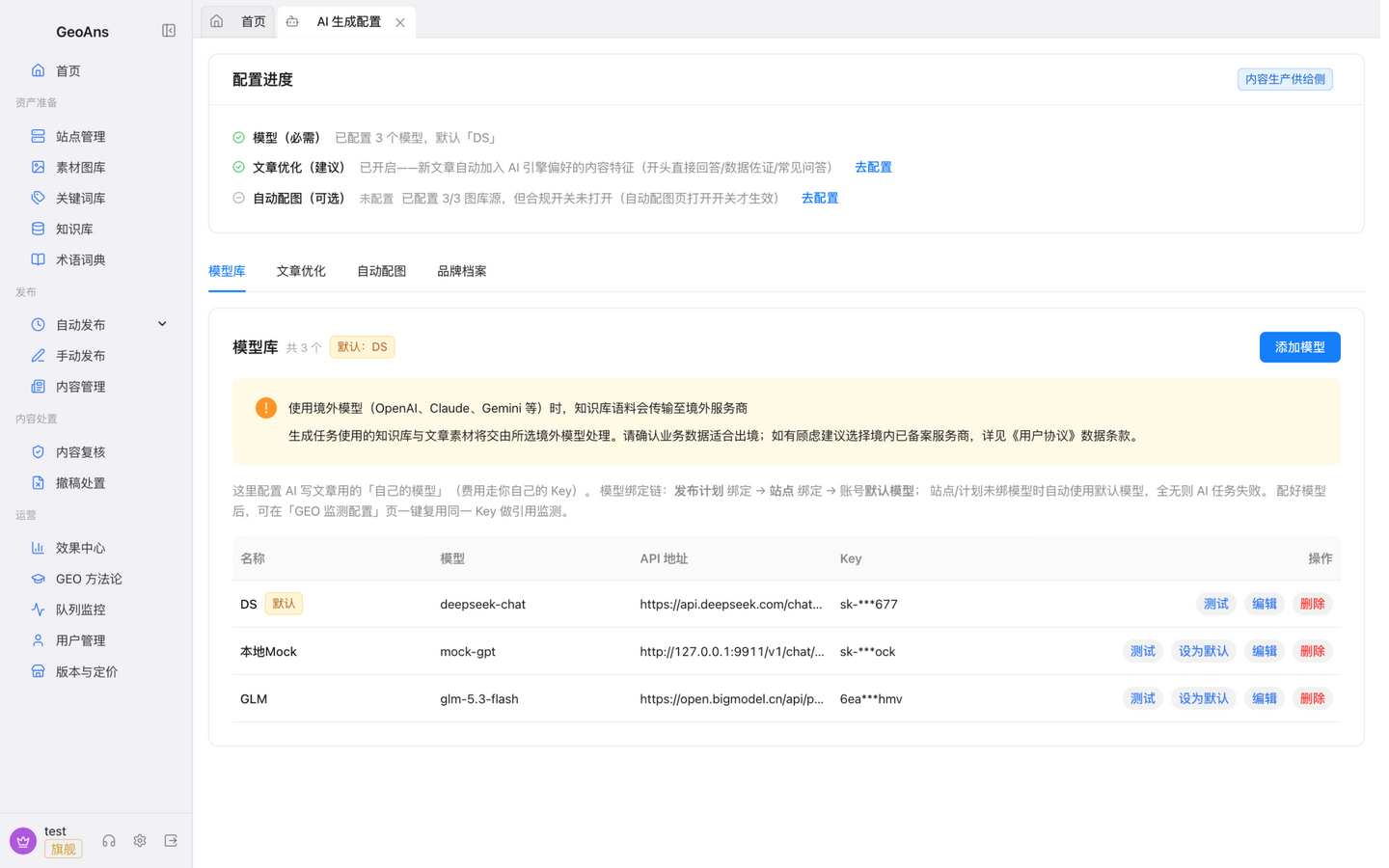
"Settings → AI Configuration" has four tabs:
Model library
Enter your provider's service address and API key, or pick a preset for popular providers. To give a specific site a different model, bind one per site in "Site Management".
Article optimization
- Citation optimization: a switch that makes content easier for AI to cite — keep it on;
- Safety & labeling: AI-generated-content labeling is on by default. Published content carries a visible label line (by default "本文由 AI 辅助生成,仅供参考。" — editable) plus label information embedded in the article. Do not remove or tamper with labels; if you change the label text, make sure it still meets the requirements of your target market;
- Banned words: configure up to 500 banned words; content that hits one is blocked into human review.
Auto imagery
Enter an API key for Unsplash / Pexels / Pixabay and turn on compliant imagery; generated articles can then fetch licensed images with proper attribution.
Brand profile
Fill in your brand name, aliases, cases, credentials, scale, and other business facts. They keep generated content consistent with your brand and feed effect statistics — the more accurate, the more reliably AI speaks about you.
GEO Monitoring
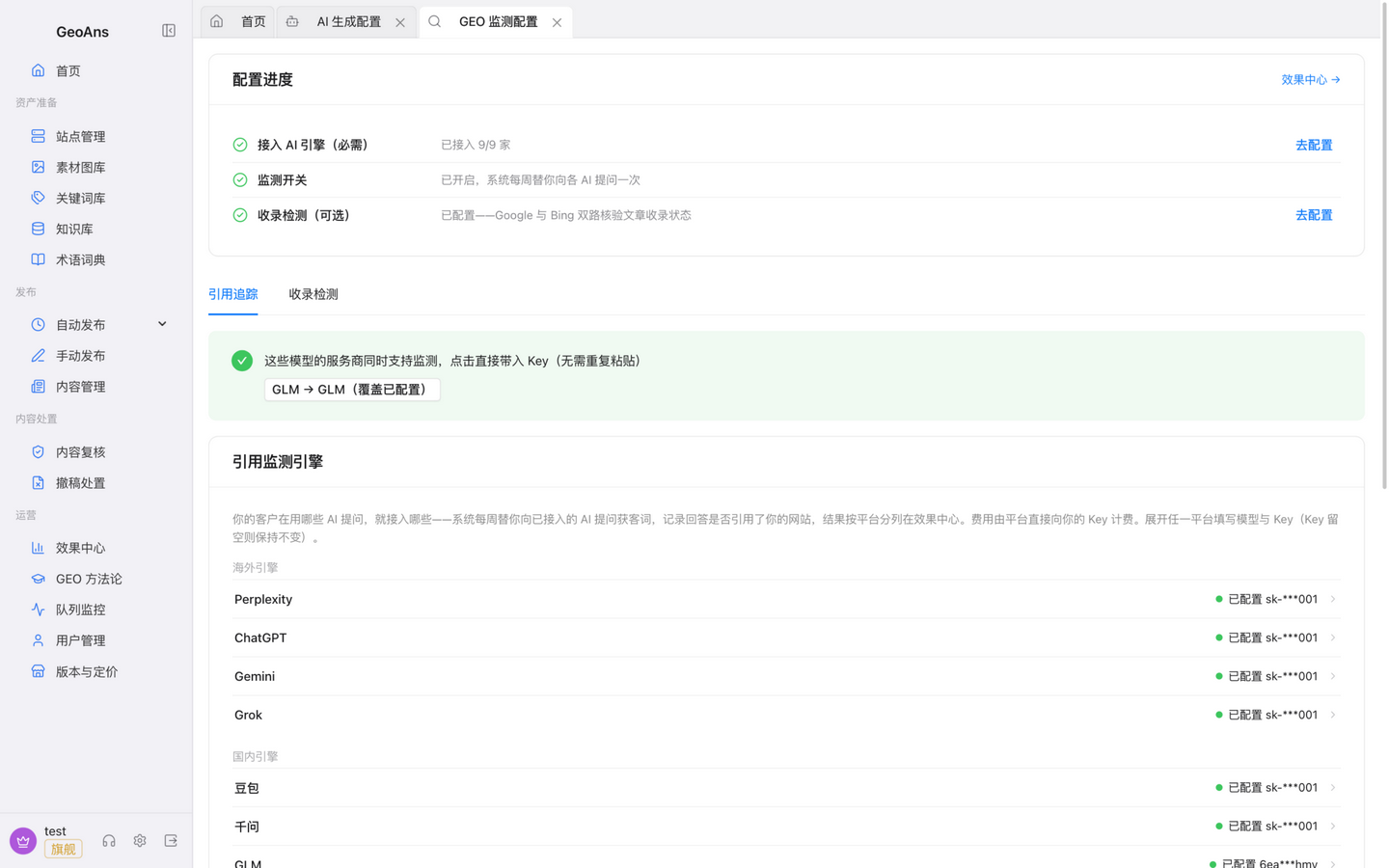
"Settings → GEO Monitoring" holds the keys and switches for the monitoring side:
Citation tracking
- Enter the API key for each AI platform you want to monitor (some keys can be imported straight from the model library — no need to apply twice);
- Turn on citation tracking and maintain your customer questions — the questions buyers actually ask AI, such as "which supplier is reliable for X". Once tracking is on, the system asks your connected AI platforms these questions once a week and records the answers and citations; the data accumulates weekly in the effect center;
- Auto-update switch: when on, content the monitor finds uncited gets your existing pages updated automatically (consumes credits — see "Credits & Plans").
Index checking
After you configure service keys for Google Programmable Search Engine and Bing, the platform tracks how traditional search engines index your content alongside AI citations — both visible in one place.
Check your progress
The setup-progress card on both pages marks your required items in real time. Once every required item is done, head on to "Connect Your Site".