Monitor & Improve
The effect center's four views, competitor benchmarking, index checking, weekly email reports, and the GEO methodology — let data steer the next round.
Publishing is the beginning; the value comes from the "monitor → analyze → improve" loop, based in "Operations → Effect center".
The effect center
Four views:
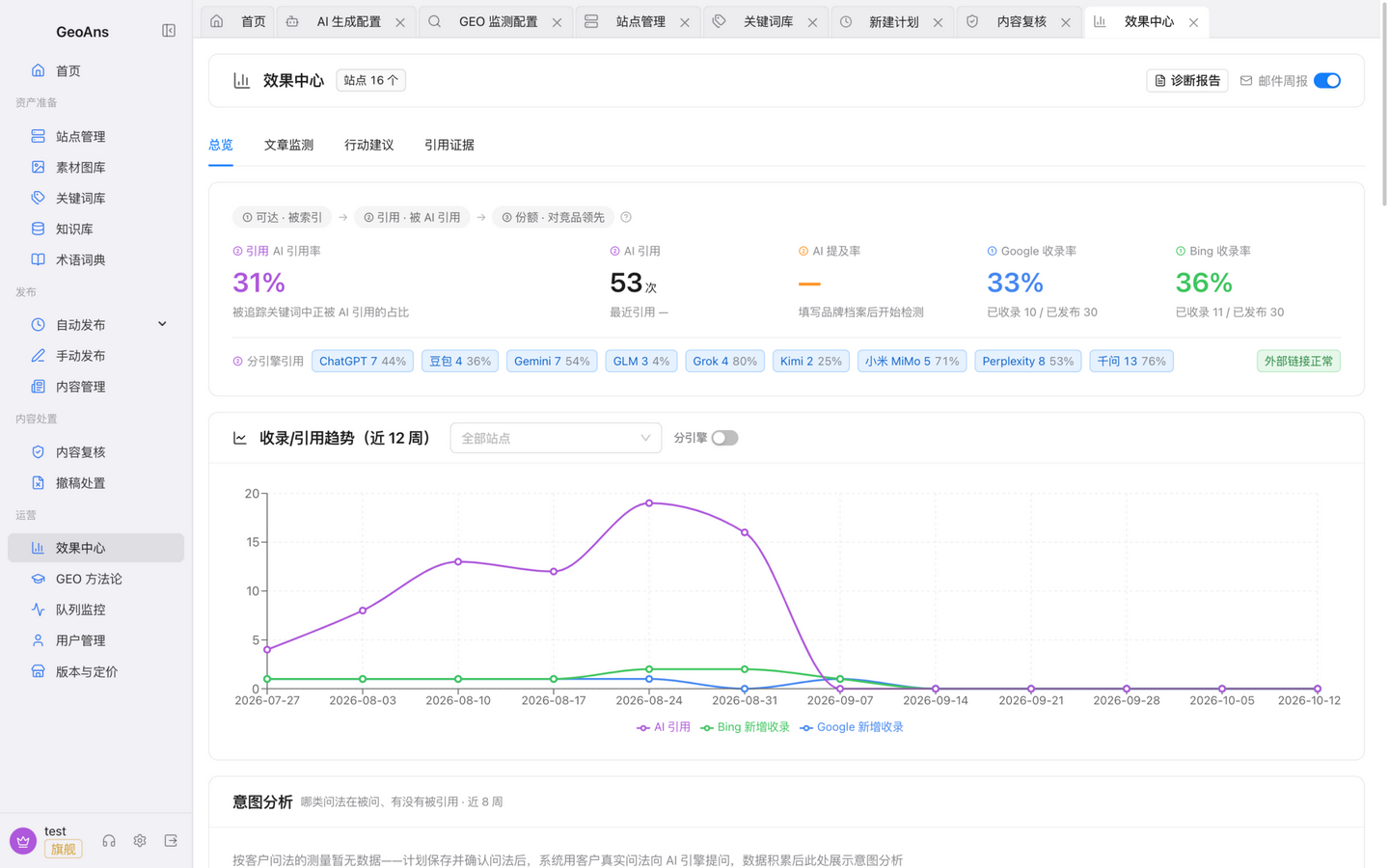
- Overview: two headline metrics — mention rate and citation rate. Being mentioned by AI is exposure; having your content cited is what brings traffic. When you have exposure but no citations, the overview helps you locate the weak step. It also carries the trend line and competitor citation details (where competitors are cited and for what);
- Article monitoring: per-article indexing and citation status;
- Action suggestions: where to strengthen content next, based on current data;
- Citation evidence: every citation traces back to the original question and answer — real, verifiable data.
Treat the numbers as historical statistics. AI platforms decide indexing and citation independently and many factors matter — read trends and ranges, not guarantees.
Competitor benchmarking
Add competitor domains in the "competitor citation share" card (type and press enter; add or remove anytime) and monitoring tracks their citations too: share shifting over time, and citation details — where competitors are cited and for what. Competitors show up even at zero mentions, confirming untouched opportunities. The number of competitors follows your plan's quota — see "Plans & Pricing" in the product.
Index checking
With index checking configured (see "Configure AI Capabilities"), whether AI platforms cite your brand and whether search engines index your pages are both visible in one place, complementing each other.
Weekly email report
The "weekly report" switch on the effect center's first card sends a report to your whole team every Monday at 10:00 — citations per engine, new hits, indexing, items to strengthen, and a competitor share summary. The switch is the subscription; flip it off anytime.

GEO methodology
"Operations → GEO methodology" collects the method framework and operating advice for generative engine optimization — good for aligning the team and planning content strategy.
Queue monitor
"Operations → Queue monitor" shows the generation, publishing, and monitoring task queues. When a schedule doesn't run on time, look here first.
Once you have read the data, the next step is usually back to "Content Ingredients" for more keywords and knowledge, or to "Credits & Plans" to check your plan's quota.