Generate & Publish
Auto plans, schedules, manual publishing, content management, content review, AI labels, and takedowns.
With ingredients ready and the site connected, daily work lives under "Publishing" in the left menu.
Auto plans
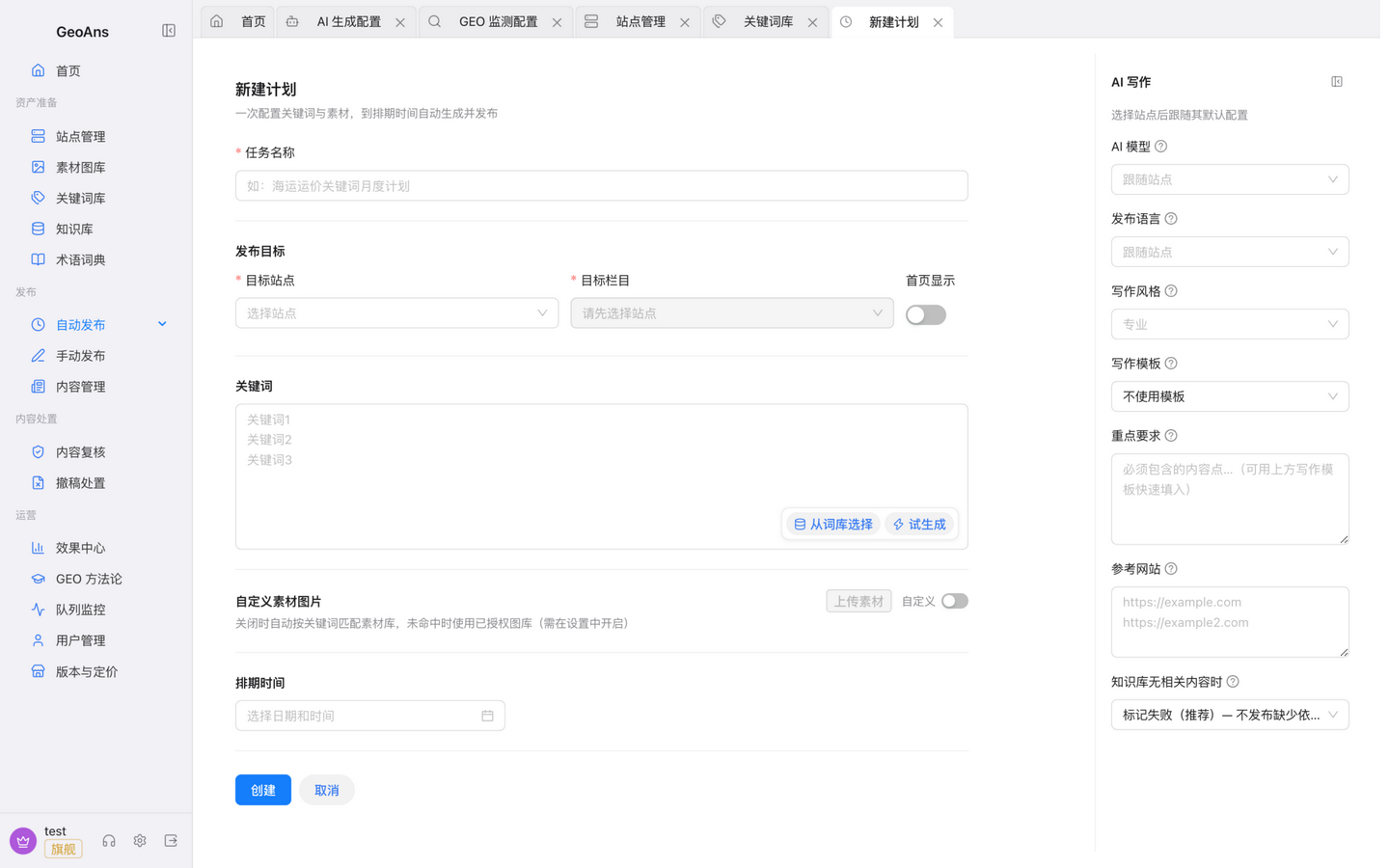
"Publishing → Auto plans" is the daily workhorse. Creating a plan takes three steps:
- Pick the target site (connected, with categories bound);
- Pick keywords from the keyword library;
- Set the schedule (frequency and time slots).
Saved plans run on their own: generate → pass content-safety checks → publish according to the site's mode.
Schedules
"Publishing → Schedules" lists every schedule: see each one's next run date, pause/resume at any time (already-scheduled articles still go out while paused), or duplicate an old schedule to start a new one from tomorrow. When a schedule keeps failing, the row shows why (e.g., quota exhausted).
Manual publishing
For a one-off piece, use "Publishing → Manual publish": pick a site, write your requirements or choose keywords, and a single article is generated and goes through the same flow.
Content management
"Publishing → Content management" gathers published content across your sites: view and edit articles (edits update the page without changing its URL), attach images manually, or delete content. Edits and deletions are applied to your site as well.
Content-safety guardrails
Every piece passes the platform's content-safety mechanisms before publishing: duplicate and similarity screening, banned-word checks, and AI labeling. Content that trips similarity or banned-word checks is not published directly — it goes to human review. These tools are aids; they do not replace your own review.
Content review (review-first)
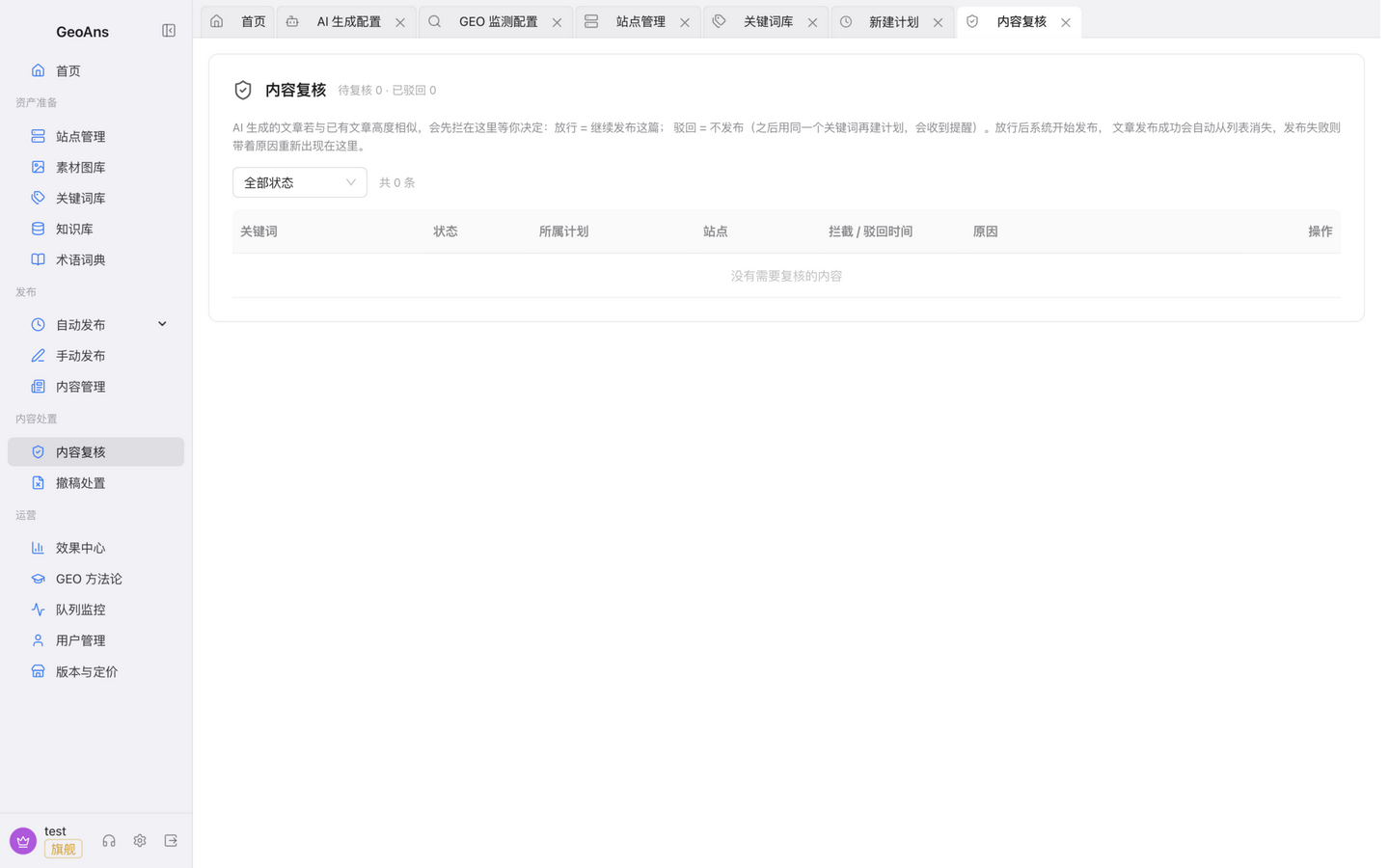
Sites targeting the domestic market default to review-first: generated content does not publish directly — it waits in "Disposition → Content review" marked as review-first, until you or the platform passes or rejects it. Cross-border sites publish on schedule by default, and review can be turned on per site.
Two reminders:
- Plans on review-first sites pause until a human acts — clear the queue promptly;
- Whether or not review is on, you are responsible for the compliance of what you release — review every piece before it goes out.
AI-generated content labels
The platform labels generated content by default: a visible label line (customizable under "Settings → AI Configuration → Safety & labeling") and label information embedded in the article. Do not remove, tamper with, or conceal labels; liability for disabling labeling yourself rests with you.
Takedowns
To take published content offline, use "Disposition → Takedowns": single or batch, and the platform asks your site to remove it.
When content isn't cited
With auto-update on, content the monitor finds uncited gets your existing page updated automatically (it updates your own published page — never third-party content) so old pages stay fresh. It consumes credits; see "Credits & Plans".